
Written by: The Editorial Team
Published: 29 Oct 2026
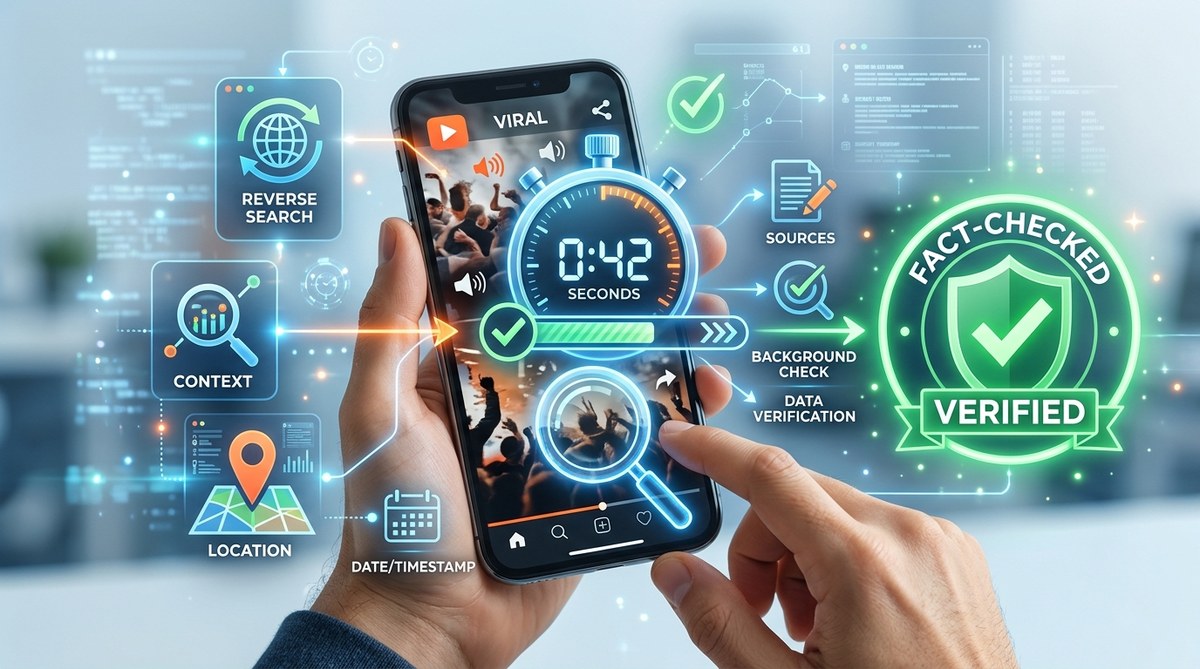
You see a video that makes your stomach drop. A politician says something shocking. A crowd runs from an explosion. A animal does something that seems impossible. Your thumb hovers over the share button.
Stop right there.
In 2026, fake videos spread faster than ever. Some are edited. Some are completely generated by AI. Others are real clips stripped of context and given a false caption. The damage happens in those first few seconds before anyone checks the source.
Here is the good news. You do not need a degree in media forensics to spot a fake. You just need a simple system. And you can run through it in under a minute.
A viral video can be verified in less than 60 seconds using four tools you already have: a search engine, your phone's screenshot function, the video platform itself, and your own skepticism. The most effective method is to pause, pull the video into a reverse image search, check the upload date and channel history, and look for the original source before sharing anything.
The One-Minute Fact Check
Let us walk through a real scenario. You see a clip on X or TikTok that claims a major storm hit a city you know well. It looks dramatic. But something feels off.
Here is the process.
1. Grab a key frame. Pause the video at a clear moment. Take a screenshot. Crop out any text overlays or logos so you get just the image.
2. Run a reverse image search. Use Google Images or TinEye. Upload that screenshot. See where else that exact image appears. If the same frame shows up in a news article from three years ago, you have your answer.
3. Check the video metadata. On YouTube, click the three dots below the video and select "Show transcript" or "Stats for nerds." Look at the upload date. A video claiming to be from today but uploaded in 2020 is a huge red flag.
4. Read the comments. Sort by newest, not most liked. People in the comments often point out the original source or flag inconsistencies. Scammers pay for bots to boost likes, but real users leave real clues.
5. Search for the claim, not the video. Type the claim into a search engine with the word "fact check" or "debunked." If a reputable news outlet or fact checking organization has already looked at it, you will see their report.
This whole process takes less than a minute. You do not need special software. You just need to pause before you share.
Red Flags That Jump Out Immediately
Some videos are easier to spot than others. Train your eye for these warning signs.
- Perfect lighting on a subject but blurry background. AI generated videos often have unnatural depth of field. The main subject looks too sharp compared to the background.
- Unnatural mouth movements. Watch the lips. If the words do not match the mouth shapes, the audio may have been dubbed or generated.
- Watermarks from video editing apps. If you see a CapCut, InShot, or similar watermark, the video has been edited. That does not mean it is fake. But it means you need to verify the original.
- No source attribution. Legitimate news clips usually credit a news outlet or a journalist. Anonymous uploads with no byline should make you suspicious.
- Emotional manipulation. Videos that try to make you angry or scared before you can think are often designed to bypass your logic. If it makes you feel a strong emotion, check it twice.
A Handy Comparison Table
Here is a simple reference for what to look for when you are scanning a video.
| What to Check | What Is Normal | What Is Suspicious |
|---|---|---|
| Upload date | Matches the claimed event | Days, months, or years old |
| Channel history | Consistent content over time | Only a few videos, all recent |
| Audio sync | Lips match the words | Audio is delayed or ahead |
| Background details | Consistent lighting and shadows | Lighting changes between cuts |
| Comments | Mixed reactions, some skepticism | Only glowing praise or bots |
| Source link | Links to a known news outlet | No link or link to an unknown site |
Why Context Matters More Than the Video Itself
A video can be 100% real and still be used to spread a lie. This happens all the time. Someone takes a clip from a protest in one country and captions it as a protest in another country. The video is authentic. The caption is false.
This is called misattribution. It is one of the most common tricks in the misinformation playbook.
To guard against this, look for landmarks, license plates, street signs, and uniforms. If the video claims to be in Chicago but you see a European license plate, something is wrong. Use Google Street View to check locations. Match the weather in the video to the weather on the claimed date.
"A video is just a sequence of images. The truth is in the metadata, the source, and the context around it. Never trust a clip based on visuals alone." - Claire Wardle, co-founder of the Information Futures Lab at Brown University
Tools That Do the Heavy Lifting
You do not have to do all this manually. Several free tools make fact checking faster.
- Google Reverse Image Search. Upload a screenshot and see everywhere that image appears online.
- TinEye. A dedicated reverse image search engine that finds exact matches.
- InVID / WeVerify. A browser extension designed specifically for verifying videos and images. It pulls key frames, checks metadata, and searches for duplicates.
- YouTube DataViewer. A tool from Amnesty International that shows you the exact upload time and thumbnail history of any YouTube video.
- Fact check databases. Sites like Snopes, FactCheck.org, and PolitiFact have searchable archives. If a video has gone viral, someone has probably already checked it.
Bookmark these tools on your phone and your computer. They turn a five minute investigation into a thirty second check.
What to Do When You Find a Fake
You have done the work. You know the video is misleading. Now what?
First, do not share it. Even if you are sharing it to debunk it, you are still giving it more views. The algorithm does not care about your caption. It cares about engagement.
Second, report the video on the platform. Most social media sites have a "Report" button that includes options for false information. Use it.
Third, if you see friends or family sharing it, send them a private message. Do not call them out publicly. That often makes people defensive. Instead, say something like "Hey, I saw that video too. I looked it up and it turns out it is from a different event. Here is the real source." Keep it kind.
Your 60 Second Habit
Building this habit takes practice. Start small. The next time a video makes you feel a strong emotion, pause. Run through the steps. It takes less time than reading the comments section.
You are not powerless against misinformation. You just need a system. And now you have one.
Keep Your Feed Honest
The internet moves fast. Bad actors count on you sharing before you think. But every time you pause to verify, you slow down the spread of false information. That is a small act with a big impact.
Bookmark this guide. Share it with someone who could use it. And the next time you see a video that seems too wild to be true, remember the one minute rule. Screenshot. Search. Verify. Then share.
Your feed will thank you.
Was this page helpful?
Our commitment to delivering trustworthy and engaging content is at the heart of what we do. Each fact on our site is contributed by real users like you, bringing a wealth of diverse insights and information. To ensure the highest standards of accuracy and reliability, our dedicated editors meticulously review each submission. This process guarantees that the facts we share are not only fascinating but also credible. Trust in our commitment to quality and authenticity as you explore and learn with us.