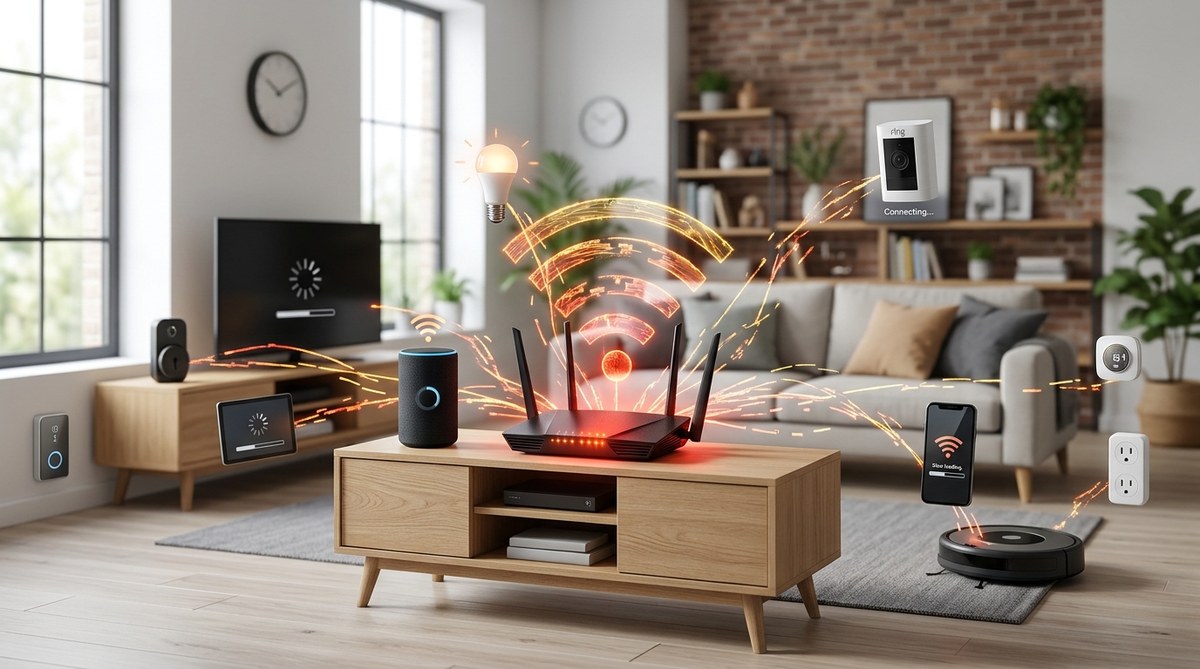
Your smart speaker answers instantly. Your thermostat follows every command. Then the video doorbell rings, the kids start streaming, and suddenly your lights take ten seconds to respond. The culprit is usually not your internet provider. It is your router. The average American household now runs more than 20 connected devices, and most routers were never designed to handle that load. When every device fights for attention, your whole smart home feels sluggish.
Key Takeaway
Your router is the single most important piece of your smart home, and it is usually the reason devices lag or drop. Older Wi-Fi standards, poor router placement, and too many connected gadgets can overwhelm even a strong internet plan. Upgrading to Wi-Fi 6, using a separate band for smart devices, and adjusting router settings can restore smooth performance. Start with placement, then update firmware, then consider hardware upgrades for lasting results.
Your smart speaker answers in a blink. Your thermostat adjusts on command. Then the video doorbell freezes mid frame and your lights take five seconds to respond. If that feels familiar, your router is likely the bottleneck. Most smart homes run on a single Wi-Fi router, and that router is quietly struggling to keep up with every sensor, camera, and speaker you keep adding.
The problem is not always your internet plan. Many people pay for fast gigabit service and still see lag. The weak link is usually the router itself. It handles every request from every device, and when too many devices pile onto one network, everything slows down.
This guide explains why your Wi-Fi router slows down your smart home and what you can do about it today.
Key Takeaway
Your Wi-Fi router is the traffic cop for every smart device in your home. When it struggles, lights lag, cameras freeze, and speakers stutter. Most slowdowns come from router age, poor placement, Wi-Fi congestion, or too many devices fighting for bandwidth. Upgrading to Wi-Fi 6, using separate bands, and adjusting router placement can fix most issues without replacing every gadget. Start with a simple channel check and build from there. Your smart home can feel instant again with a few targeted tweaks.
## Why Your Wi-Fi Router Is Slowing Down Your Entire Smart Home
Your smart home runs on trust. You trust the lights to turn on when you walk in. You trust the thermostat to warm up before you wake. You trust the cameras to stream when you are away. But when every device starts lagging, the common suspect is usually the router. The truth is simpler and more frustrating: your router is the single point of failure for the whole system, and most modern homes treat it like an afterthought.
Smart home devices are not like laptops or phones. They are low power, always connected, and often use older Wi-Fi standards. They also compete with every streaming session, video call, and game download in the house. When the router gets overwhelmed, your smart home feels slow. Lights respond late. Cameras buffer. Speakers drop commands. The problem is rarely the devices themselves. It is almost always how the network is configured.
Key Takeaway
Your router is the traffic controller for every smart device in your home. When it gets overloaded, outdated, or poorly placed, the whole network suffers. The fix is not buying a pricier internet plan. It is optimizing your router settings, upgrading hardware when needed, and managing how many devices compete for bandwidth. Start with placement, then channel settings, then a mesh upgrade if needed.
## Why Your Router Becomes the Bottleneck
Your smart home runs on your router. Lights, thermostats, cameras, speakers, and locks all send data through it. When that flow gets clogged, every device feels slow. The router itself rarely dies. It gets overwhelmed.
Most people blame their internet provider. They pay for faster speeds and still see lag. The real problem is often the router. It is the traffic cop for every device in your home. If it cannot handle the load, nothing else matters.
Smart home gear is different from laptops and phones. Many smart devices use older Wi-Fi standards. They hold connections open longer. They send tiny data packets constantly. Your router has to juggle all of that while also streaming video and handling video calls. That is a heavy load.
The good news? You can fix most of this yourself. You do not need a new internet plan. You do not need a more expensive mesh system right away. You need to understand what is slowing your Wi-Fi router down and how to adjust your setup.
## Why Your Wi-Fi Router Struggles With Smart Home Devices
Your router is the traffic cop for every device in your home. Lights, thermostats, cameras, speakers, locks, sensors. Each one sends small data packets through your network. Most smart home devices use the 2.4 GHz band because it travels farther and penetrates walls better. That same band is also the most crowded. Microwaves, baby monitors, and neighbors all share it.
When you add more smart devices, your router has to juggle more connections. Most consumer routers were not built for 30 or 40 simultaneous clients. They start dropping packets, delaying commands, and losing sync. That is why your Wi-Fi router slows down your entire smart home. The router itself is not always broken. It is often overloaded, misconfigured, or placed poorly.
## The Router Is the Traffic Cop for Every Smart Device
Your smart home depends on one thing: a router that can handle many small conversations at once. Lights send tiny status updates. Thermostats check weather. Cameras stream video. Speakers wait for commands. Each one takes a slice of your network.
When the router gets overwhelmed, every device suffers. A single camera uploading footage can hog bandwidth. A smart speaker checking for updates can add latency. The result is a chain reaction where your lights respond slowly and your thermostat drops offline.
The router is not just a box that broadcasts Wi-Fi. It is the traffic cop for every connected device. If it struggles, the whole smart home struggles.
## Why Your Wi-Fi Router Slows Down as Your Smart Home Grows
Every smart device connects to your router, even when idle. Smart bulbs ping the network. Thermostats send temperature reports. Cameras stream continuously. Each connection consumes a small slice of your router's resources. Add 20, 30, or 50 devices and those slices add up.
Most standard routers were designed for a handful of devices. They were not built for a modern smart home. When your router tries to manage dozens of connections at once, it can hit its limit. That limit shows up as lag, buffering, and dropped signals.
The issue is not always your internet speed. Often, the router itself becomes the bottleneck. Your internet plan may deliver 500 Mbps, but your router might only handle a fraction of that when many devices are active at the same time.
## Why Your Wi-Fi Router Feels Sluggish With a Full Smart Home
Your router is the traffic cop for every device in your home. Lights, thermostats, cameras, speakers, locks, and sensors all send and receive data. Each one competes for bandwidth and attention. When too many devices connect at once, your router can get overwhelmed.
Most routers are not designed for dozens of always on devices. They were built for a few laptops and phones. A smart home changes that math. A typical household in 2026 runs 25 to 50 connected devices. Each one holds a connection open, sends small status updates, and waits for commands. That constant chatter eats airtime even when nothing big is downloading.
Your router may be the bottleneck. The good news is you can fix most of these issues without buying a whole new system. This guide explains why your Wi Fi router is slowing down your smart home and what you can do about it.
Key Takeaway
Your router is the traffic cop for every smart device in your home. When it gets overwhelmed, lights lag, cameras buffer, and speakers drop out. The fix starts with understanding Wi Fi congestion, router placement, and outdated hardware. Upgrading to Wi Fi 6 or 6E, separating bands, and using a wired backhaul for mesh nodes can transform your smart home experience without replacing every device.
## Why Your Router Becomes the Bottleneck
Your smart home depends on one thing: a healthy network. When the router struggles, every connected device feels it. Lights respond late. Cameras freeze mid-frame. Speakers cut out during a playlist. The problem is rarely the devices themselves. More often, the router is the weak link.
Most routers sold before 2020 were never designed for the load of a modern smart home. They handle a few phones and laptops fine. Add 20, 30, or 40 connected devices, and the old hardware starts to choke. Your router is not slow because it is old. It is slow because it is being asked to do something it was never built to do.
This guide walks through the real reasons your Wi-Fi router slows down your smart home, plus the fixes that actually work. You will learn how to diagnose the issue, adjust your settings, and decide whether it is time for new hardware.
Key Takeaway
Your router is the traffic cop for every smart device in your home. When it gets overloaded, everything suffers: lights lag, cameras buffer, speakers stutter. The fix is rarely a new internet plan. It is usually a mix of router placement, band management, device limits, and firmware updates. Start with the simplest changes first, then test each one. You will see a measurable difference in how responsive your smart home feels.
## Why Your Smart Home Feels Sluggish
Your smart home depends on your Wi-Fi router more than you might think. Every smart bulb, thermostat, camera, and speaker sends small data packets through that single box. When the router gets overwhelmed, everything slows down. Lights take an extra second. Cameras buffer. Speakers drop mid-song. The router is the traffic cop for your whole connected life, and when it struggles, every device feels it.
The good news? You do not need a new internet plan or a fancy mesh system to fix most of these issues. In many cases, the problem is how your router handles the load, not the speed your internet provider delivers. Understanding the bottleneck is the first step to a smoother smart home.
Key Takeaway
Your Wi-Fi router slows down your smart home because it juggles too many devices on one congested band, uses outdated Wi-Fi standards, and sits in a poor location. Fixing this means separating device types across bands, upgrading to Wi-Fi 6, adjusting router placement, and checking channel interference. A few targeted changes restore speed and reliability.
## Why Your Smart Home Feels Sluggish
You walk into the kitchen and say, "Lights on." Nothing. The thermostat ignores the app. The video doorbell takes 10 seconds to show live footage. Your smart home is not dumb, but your router is struggling to keep up. The problem is rarely the devices themselves. Most smart home gear is simple and lightweight. The bottleneck is almost always your Wi-Fi router and how it handles all those connections at once.
Smart homes place unusual demands on a network. Unlike a laptop or phone that needs a big burst of speed for a video call, smart bulbs, plugs, and sensors send tiny packets constantly. Hundreds of small messages every minute. A router designed for a few devices gets overwhelmed by 30 or 40 connected gadgets. The result is lag, dropped connections, and devices that refuse to respond.
Key Takeaway
Your router is likely the bottleneck in your smart home, not the devices themselves. Most routers handle a handful of connections well but choke on 30 or more. Upgrading to Wi-Fi 6, separating bands, adjusting placement, and managing bandwidth can fix most lag. Start with positioning, then update firmware, then consider a mesh system for larger homes.
Your smart lights blink when you walk past. Your thermostat drops offline at 2 PM every day. Your video doorbell takes ten seconds to open the live feed. You have tried restarting everything, and it still feels like your smart home is moving through mud.
The problem is not your devices. The problem is your router.
Most routers sold even a few years ago were designed for a handful of laptops and phones. They were never built to handle 30, 40, or 50 connected devices all talking at once. Smart homes pile on the traffic: bulbs, plugs, cameras, speakers, sensors, thermostats, locks, and vacuums. Every one of those gadgets wants a slice of your bandwidth, and your router is the one serving all of them. When it runs out of resources, every device feels the lag.
## Why Your Router Becomes the Bottleneck
Your router is the traffic cop for your whole network. It juggles every request from every device. A smart home can easily have 30 or more devices online at the same time. Each one sends small packets of data constantly. Even a simple smart bulb checks in with the network several times a minute.
Most routers sold before 2020 were never designed for that load. They were built for a handful of laptops and phones, not a house full of sensors, cameras, and speakers. When too many devices connect at once, the router gets overwhelmed. It starts dropping packets, delaying responses, and making everything feel sluggish.
The problem is not always your internet provider. Often, the router itself is the bottleneck. Your smart home can be running perfectly, but if the router can't handle the traffic, every device suffers.
## Why Smart Home Devices Are Heavy on Wi Fi
Smart home gear does not need much bandwidth. A light bulb uses almost nothing. A thermostat sends tiny data packets. But these devices still demand constant attention from your router.
Many smart devices use Wi-Fi to stay connected all day. They send small keepalive signals, status updates, and push notifications. Dozens of these small messages add up. Your router has to process each one, even when no one is actively streaming or downloading.
This is why a Wi-Fi router slow smart home situation feels so common. The router is not slow because of heavy data. It is slow because it is juggling too many small conversations at once.
Older routers handle 10 to 20 devices without complaint. Modern smart homes often push 30, 40, or even 50 devices. Each smart bulb, thermostat, camera, and speaker claims a slice of your router's attention. When the router runs out of capacity, every device feels it.
Key Takeaway
Your router is likely the bottleneck in your smart home, not your internet plan. Most consumer routers handle 20 to 30 devices, but modern homes often run 40 or more. The fix starts with checking your router age, band settings, and placement. Upgrading to Wi-Fi 6 or a mesh system usually solves lag and dropouts.
## Why Your Router Struggles With a Full Smart Home
Your smart home asks for constant attention. Lights wait for commands. Thermostats report temperatures. Cameras stream video. Speakers play music on demand. Every one of those devices shares the same Wi-Fi router, and most routers were never designed to juggle that many conversations at once.
The result is familiar. A video call freezes. A smart speaker ignores a command. A security camera feeds lag. The problem is not necessarily your internet plan. The bottleneck often lives inside the router itself.
## The Router Is the Traffic Cop, Not the Highway
Think of your internet connection as a highway. Your router is the traffic cop standing at the interchange. It decides which data packets go where and in what order. When you have a few devices, the cop has an easy job. When you have 20, 30, or 40 connected devices, that cop gets overwhelmed.
Most routers sold today were designed for a handful of devices. A typical smart home in 2026 has far more. Lights, thermostats, cameras, speakers, doorbells, locks, and plugs all compete for the same connection. Each one sends small data pings constantly. Even when idle, they chatter with your router. That chatter adds up.
Your router is not slow because your internet plan is bad. It is slow because your router is juggling too many conversations at once.
## Why Smart Home Devices Drain Your Wi Fi
Smart home gear is built to stay connected. That is the whole point. But those constant background signals eat bandwidth even when nothing is actively streaming. A smart bulb checking in every few seconds, a thermostat uploading temperature data, a doorbell camera sending a preview frame, they all share the same airspace.
Most routers handle 20 to 30 devices without complaint. Add a few smart plugs, sensors, and speakers and you cross a threshold. The router starts juggling. It switches between devices so fast that each one feels sluggish. This is not a bandwidth problem in the traditional sense. It is a connection management problem.
Your internet plan might deliver 500 Mbps. Your router still struggles. Why? Because speed is not the same as capacity. A router can have a fast connection to your internet service provider but still choke when dozens of devices compete for airtime. The more smart home gear you add, the more your router has to multitask. Most standard routers were never designed for that load.
## Why Your Smart Home Devices Slow Down Your Router
Smart home devices are low bandwidth, but they are chatty. A smart bulb does not need much data. It does need to send small status updates constantly. A thermostat, a camera, a speaker, a door lock, they all keep talking to the network even when idle. This chatter fills the airwaves and slows down everything else.
Your Wi-Fi router can only handle so many active connections at once. Most mainstream routers support 20 to 30 devices on paper. In practice, they start struggling around 10 to 15. Every smart plug, sensor, and speaker counts as a device. Your phone and laptop also count. The result is a congested network where your Wi-Fi router slows down your smart home, and your smart home slows down your router. It becomes a loop.
## Why Your Router Feels Overwhelmed
Your router is a traffic manager. It decides which device gets to talk and when. Too many devices asking at once means delays. Smart home gear is chatty. A single thermostat may only send small packets, but it sends them constantly. Ten smart devices can create hundreds of small transmissions per minute. That adds up.
Older routers handle this poorly. They use a single channel for all devices. Every light, speaker, and camera fights for the same lane. When one device streams video or downloads a big update, the others wait. You notice it as lag on your phone, a stalling video call, or a smart bulb that takes three tries to respond.
The router is the traffic cop of your smart home. If it cannot manage the volume, everything slows down.
---
## Why Your Wi-Fi Router Becomes the Bottleneck
Most smart home devices are built for convenience, not speed. They send small data packets constantly. Your router has to juggle dozens of these tiny conversations at once. Older routers were never designed for that load.
Think about what a typical smart home does. Your thermostat pings the cloud every few minutes. Your doorbell camera streams video. Your smart speaker listens for wake words. Your bulbs wait for commands. Each device holds a connection open, even when idle. That constant chatter eats bandwidth and router memory.
Your router is the traffic controller for all of it. When it gets overwhelmed, everything slows down. Lights respond late. Speakers buffer. Cameras freeze. The problem is not your internet plan. The problem is how your router handles many small, always on connections.
## Why Your Router Struggles With Many Devices
Most routers were designed for a handful of devices. A typical home in 2026 has 20 to 30 connected devices. That is a big difference. Each device holds a small conversation with your router. Even when idle, smart home gadgets send heartbeat signals and status updates. Those tiny messages add up.
Your router has a limited amount of memory and processing power. Every connected device takes a slice of both. When you pass a certain threshold, the router starts juggling. It delays responses. It drops packets. Your lights take an extra second to respond. Your camera feed buffers. Your speaker misses a command. That is the "Wi-Fi router slow smart home" problem in action.
## Why Your Router Feels Overwhelmed
Most routers are not designed to handle dozens of connected devices. They were built for a handful of laptops and phones. A modern smart home easily has 30, 40, or even 50 devices online at once. Lights, thermostats, cameras, speakers, doorbells, plugs, sensors. Each one holds a small connection open. Each one asks for updates, checks in, or streams video. Your router has to juggle all of them at the same time.
The result is congestion. Your Wi-Fi router becomes slow for your smart home because it simply runs out of processing power. It is not about raw internet speed. It is about how many conversations the router can handle at once.
### What Happens When Your Router Gets Overloaded
Every device on your network takes a slice of your router's attention. Even a tiny smart bulb that does almost nothing still keeps a connection open. When you have 20 or 30 devices doing that, the router starts juggling. It queues packets, delays responses, and sometimes drops connections entirely.
The problem gets worse with older routers. Many were designed for a handful of devices. They struggle with the demands of a modern smart home. Video calls, 4K streaming, and smart home hubs all compete for the same airwaves. Your router becomes the bottleneck, and every device feels the lag.
## Why Your Wi-Fi Router Slows Down With Smart Home Devices
Smart home devices are low bandwidth, but they are chatty. A smart bulb does not need much data. It does need constant communication. Your router must handle dozens of small messages every few seconds. Lights checking in, sensors reporting motion, thermostats sending temperature updates. Each one takes a tiny slice of your router's processing power. Add enough of them, and the router spends more time managing connections than moving real data.
Most routers are not designed for 30 or 40 connected devices. They are built for a handful of laptops and phones. When your smart home grows, the router gets overwhelmed. That is why your Wi-Fi router slow smart home problem often appears after you add a few new plugs or cameras.
### The Hidden Culprit: Not Enough Memory
Consumer routers have limited memory. Every connected device holds a small session in the router's memory. Smart bulbs, plugs, and sensors stay connected all day. Even when idle, they keep the session alive. With 20 or 30 devices, the router runs out of memory. It starts dropping connections, rebooting, or delaying responses.
Your router is not lazy. It is overloaded.
### The 2.4 GHz vs 5 GHz Balancing Act
Most smart home gadgets only support the 2.4 GHz band. That band has longer range but slower speeds. Your laptop and phone might prefer 5 GHz or 6 GHz. When every device fights for the same airwaves, older gadgets get squeezed.
The result? Lights respond slowly. Cameras buffer. Speakers cut out. The router looks like the problem, but it is actually juggling too many conversations at once.
### Router Placement and Interference
Your router's location matters more than most people think. A router stuffed inside a cabinet, behind a TV, or in a corner closet will struggle to reach every room. Walls, mirrors, and appliances absorb or reflect Wi-Fi signals.
Common interference sources include:
- Microwaves operating on the 2.4 GHz band
- Baby monitors and cordless phones
- Neighboring Wi-Fi networks on the same channel
- Thick concrete or brick walls
- Large metal objects like refrigerators and filing cabinets
These items compete with your smart home devices for airtime. Even a strong router can feel slow when it is fighting for space on a crowded channel.
---
## The Real Reason Your Router Bottlenecks Your Smart Home
Your router is the traffic cop for every smart device. Lights, thermostats, cameras, speakers, locks. They all send and receive data through one central point. When that point gets overwhelmed, everything slows down.
Most modern routers can handle dozens of devices. But they have limits. And your smart home probably pushed past those limits without you noticing.
Every smart device, even a simple smart bulb, keeps a persistent connection to your Wi-Fi. That constant chatter eats airtime. Your router has to juggle every request, every status ping, every firmware update. Add a 4K stream, a video call, and a game download, and the router starts dropping packets. That is why your Wi-Fi router is slowing down your entire smart home.
## Why Your Router Feels Overwhelmed
Your router is not lazy. It is overloaded. Most routers sold today were designed for a handful of devices. A typical American household now runs 20 to 30 connected gadgets at once. Each one demands a small slice of bandwidth and constant attention.
The problem is not always internet speed. It is router capacity. When your smart bulbs, thermostats, cameras, and speakers all compete for the same airwaves, the router has to juggle every request. Too many devices means longer wait times, dropped packets, and sluggish responses across the whole network.
### The Difference Between Speed and Capacity
Internet speed is how fast data travels. Router capacity is how many devices it can handle without choking. You can have a gigabit fiber plan and still feel lag if your router struggles with 30 connected gadgets.
Smart home devices are usually low bandwidth. A smart bulb uses almost nothing. A video doorbell uses a lot, but only when streaming. The problem is not raw speed. It is the number of connections and how often your router has to switch between them.
Older routers often cap out around 20 to 30 devices. Once you pass that limit, every device fights for attention. Lights lag. Speakers stutter. Camera feeds freeze. The router becomes the bottleneck.
## Why Your Router Feels Slow With a Full Smart Home
Your router juggles every device on your network. Each smart bulb, thermostat, camera, and speaker holds a tiny connection open. Even when idle, these devices send small keep alive signals. A router built for five devices gets buried by thirty.
Most smart home gear runs on 2.4 GHz Wi-Fi. That band has longer range but fewer channels. When you add many devices, they compete for the same airwaves. Your neighbor's network, your microwave, and even your baby monitor can add interference. The result is a Wi-Fi router slow smart home experience that feels like everything lags at once.
The real issue is often not your internet plan. It is your router's hardware limits. Many standard routers from internet providers simply cannot handle dozens of always on devices. They were designed for a laptop, a phone, and a TV. Your smart home asks for much more.
## Why Your Wi-Fi Router Slows Down With Smart Home Devices
Every smart device you own, even a tiny bulb, holds a small conversation with your router. It sends a status ping, checks for updates, waits for commands. With 20, 30, or 50 devices, those small conversations pile up. Your router gets overwhelmed. That is the core reason your Wi-Fi router slow smart home experience feels so frustrating.
Most smart home gadgets connect to the 2.4 GHz band. They do not need much speed. They need constant, reliable communication. A smart plug may send only a few kilobytes of data. But it stays connected all day. Your router has to track each connection, refresh each session, and manage every handshake. Add a dozen smart bulbs, a few cameras, and a thermostat, and the router's processor starts drowning in small tasks.
The result is lag. Commands take seconds. Video feeds buffer. Lights respond late. The router itself becomes the bottleneck, even if your internet plan is fast.
---
Key Takeaway
Your router is the traffic controller for every smart device in your home. When it gets overloaded, everything slows down, from lights to cameras. The fix is not a faster internet plan. It is smarter router placement, band management, and settings. Identify your router's limits, reduce congestion, and prioritize the devices that matter most. A few targeted tweaks can restore smooth performance for your whole smart home.
# Why Your Wi-Fi Router Is Slowing Down Your Entire Smart Home
Your smart home runs on your router. When the router struggles, everything feels it. The lights lag. The thermostat takes forever to respond. The video doorbell buffers at the worst moment. The speaker drops out mid song. It is not the device's fault. Most of the time, the router is the bottleneck.
Modern smart homes are crowded. A typical household in 2026 has 25 or more connected devices. Each one competes for airtime, bandwidth, and a stable connection. If your router was not built for that load, it will drag the whole network down. The good news? You do not need a degree in networking to fix it. You need to understand a few core concepts, then make some deliberate changes.
Key Takeaway
Most smart home lag comes from a router that is overwhelmed, poorly placed, or stuck on outdated settings. Your lights, cameras, and speakers fight for bandwidth, and the router decides who wins. Fixing this starts with placement, channel selection, and firmware updates. Upgrading hardware only helps when your network setup is already optimized. This guide walks through the real causes and the practical fixes that restore smooth performance across every device in your home.
## Why Your Router Becomes the Bottleneck
Your smart home depends on your router. Every smart bulb, thermostat, camera, and speaker sends small data packets through it constantly. Most people assume the router is fine because their laptop streams video without issues. That assumption falls apart once you add twenty or thirty connected devices.
The problem is not always the internet speed you pay for. It is often the router itself. Routers have limits. They have processing power, memory, and radio bands. When too many devices compete for attention, the router slows down. Your smart home feels laggy. Lights take seconds to respond. Cameras freeze. Speakers stutter.
The good news? You can fix most of this without replacing every device. You just need to understand why your Wi-Fi router is slowing down your smart home and what to do about it.
Key Takeaway
Your router is the single most important device in your smart home. Most slow smart home issues trace back to router placement, outdated hardware, or too many devices sharing one band. Fixing these three areas restores speed, cuts lag, and keeps your lights, cameras, and speakers responding instantly. Small network changes deliver big results.
## Why Your Router Becomes the Bottleneck
Your smart home runs on your Wi-Fi network. Every bulb, thermostat, camera, and speaker depends on it. When the router struggles, everything struggles.
The problem is rarely one big failure. It is usually a mix of small issues stacking up. Your router handles dozens of devices at once. Each one competes for bandwidth, memory, and processing power. Most routers sold today were never designed for a home packed with smart gadgets.
Think about it. Your phone, laptop, TV, thermostat, doorbell, and voice assistant are all connected. That is easily 20 to 30 devices in a modern home. Older routers start to choke around 10 to 15 connected devices. The result is lag, buffering, and devices that randomly drop off the network.
If you are dealing with a Wi-Fi router slow smart home, the problem is rarely the internet provider. It is usually the router itself, its placement, or the way your devices compete for bandwidth.
## Why Smart Home Devices Slow Down Your Router
Smart home gadgets are small and simple. But they can cause big network problems.
Most smart bulbs, plugs, and sensors connect on the 2.4 GHz band. That band has limited channels. When you have 20 or 30 devices all talking at once, they crowd each other. Your router spends more time juggling traffic than moving data.
Your router was likely designed for a handful of devices. A typical modern household might have a TV, two phones, a laptop, and a tablet. Add smart bulbs, a thermostat, cameras, speakers, and a doorbell, and you are suddenly running 25 or 30 devices on a router built for 10. The result is a Wi-Fi router slow smart home experience that feels unresponsive and frustrating.
## Why Your Router Becomes the Bottleneck
Your router is the traffic cop for every device in your home. Each smart gadget, even a simple light bulb, holds a tiny conversation with your network. Most routers handle these small chats fine when there are only a few devices. But smart homes push that limit fast.
Every smart device connects, checks in, and waits for instructions. This constant handshaking eats up airtime even when nothing is moving. A video doorbell sends a heartbeat signal. A thermostat reports its temperature. A speaker listens for your voice. Each one uses a slice of your router's capacity, and they all compete with your laptop, phone, and TV.
Most routers sold before 2020 were designed for maybe 10 to 15 connected devices. A typical smart home in 2026 easily runs 30, 40, or even 50 devices. That gap is where the slowdown starts.
## Why Your Wi-Fi Router Slows Down With a Full Smart Home
Your router is not lazy. It is overwhelmed. Every smart bulb, camera, thermostat, and speaker holds a connection open, even when idle. Each one sends small keep alive pings. Your router has to process every one of those signals. When the number of connected devices climbs past what the router was designed to handle, everything starts to feel sluggish.
The problem is not always internet speed. Your ISP might deliver 500 Mbps to the modem. But your router still decides how that bandwidth is shared. If it struggles to juggle dozens of connections, every device suffers. This is why your Wi-Fi router is slowing down your entire smart home, even when your internet plan looks great on paper.
Key Takeaway
Your router is the traffic cop for every smart bulb, camera, speaker, and thermostat in your home. When it gets overloaded, outdated, or placed poorly, every connected device suffers. Fixing this starts with understanding your router's limits, adjusting its settings, and positioning it for better coverage. Small changes, like using the 5 GHz band or updating firmware, can solve most lag and drop issues without buying new gear.
## Why Your Wi-Fi Router Can't Keep Up With Your Smart Home
Your smart home keeps growing. A new speaker here, a video doorbell there, maybe a thermostat and a few bulbs. Each one is small, but together they pile onto your network. When your Wi-Fi router gets bogged down, every device feels it. Lights lag, cameras buffer, speakers drop out mid song. The router becomes the silent bottleneck of your entire connected setup.
This guide explains why that happens and what you can do about it. You will learn the exact reasons your router struggles, the mistakes that make things worse, and the fixes that actually work. No jargon walls, no guesswork. Just clear steps you can take today.
## Why Your Router Struggles With Many Smart Home Devices
Your router was probably designed for a different era of internet use. A few years ago, a typical home had a laptop, a phone, and maybe a smart TV. Now, a single household can easily have 30 or more devices online at once. Lights, thermostats, cameras, speakers, doorbells, plugs, locks. They all compete for the same airwaves.
Most routers simply were not built to handle that many simultaneous connections. They start dropping packets, freezing streams, and ignoring commands. That is why your Wi-Fi router feels slow with a smart home.
The problem is not always your internet speed. It is often the router itself. It has limited memory, older Wi-Fi standards, and a weak processor. Each smart device, even a tiny light bulb, holds a connection open. Too many connections can overwhelm the router, even if none of them are downloading much data.
## How Smart Home Devices Eat Your Wi-Fi Bandwidth
Smart home gadgets are designed to stay connected constantly. They send small keep alive signals every few seconds. That does not sound like much, but multiply it by 20, 30, or 50 devices. Your router now juggles hundreds of tiny requests per minute. This is called connection overhead, and it can slow down everything.
Most routers handle a limited number of simultaneous connections. Entry level models from your internet provider often choke around 20 to 30 devices. Your phone, laptop, TV, thermostat, doorbell, and speakers add up fast. When the router hits its limit, it starts dropping packets, delaying responses, and making every device feel sluggish.
The result is a Wi-Fi router slow smart home experience. Not because your internet plan is weak, but because your router is overwhelmed. The good news is that most of these problems are fixable without buying a whole new setup.
## Why Your Router Struggles With Many Smart Devices
Your smart home devices are not heavy internet users. A smart bulb sends tiny data packets. A thermostat sends small status updates. Even a security camera, when idle, uses very little bandwidth. The problem is not the amount of data. It is the sheer number of connections.
Most routers are designed to handle a limited number of simultaneous connections. Older models might manage 10 to 20 devices. A modern smart home can easily reach 30, 40, or even 50 connected devices. When your router hits that ceiling, it starts dropping connections, delaying responses, and making everything feel sluggish.
This is why your Wi-Fi router is slowing down your entire smart home. It is not necessarily weak hardware. It is often a mismatch between the number of devices and the router's capacity.
### The Hidden Traffic Your Router Never Shows You
Smart home devices are chatty. They send small signals constantly, even when idle. A smart speaker pings the network every few seconds. A thermostat checks for updates. Cameras upload clips. Each one seems harmless alone. Together, they flood your router with background chatter.
Many routers handle dozens of devices, but they struggle when those devices demand constant attention. The result is lag. Lights respond slowly. Speakers stutter. Cameras buffer.
Your router is not slow because it is old. It is slow because it is overloaded.
---
## How Your Router Gets Overwhelmed
Your Wi-Fi router is a traffic cop. Every device on your network sends and receives data through it. When you add a smart bulb, a thermostat, a video doorbell, and a speaker, each one takes a slice of your router's attention.
Most smart home gadgets are low power. They send small bursts of data. But they send them often. A single light bulb might check in every few seconds. Multiply that by 20 devices and your router spends most of its time just saying "hello" to gadgets.
The real problem is often the router itself. Many routers sold a few years ago were built for phones and laptops. They were not designed for dozens of always connected devices. This mismatch creates the Wi-Fi router slow smart home experience you are feeling right now.
Key Takeaway
Your router is likely the bottleneck in your smart home, not your internet plan. Too many devices, outdated Wi-Fi standards, and poor router placement cause most lag. Upgrading to Wi-Fi 6, separating smart devices onto a dedicated band, and optimizing channel settings can restore performance. Start with a router audit before buying new gear.
Your smart lights blink. Your thermostat drops offline. Your video doorbell takes 10 seconds to load. You restart the router, and everything works again for a day. Sound familiar?
Your Wi-Fi router is the traffic controller for every device in your home. When it gets overwhelmed, your entire smart home suffers. The problem is rarely the internet plan you pay for. Most of the time, the router itself is the bottleneck.
## Why Smart Homes Slow Down Routers
Smart home devices are different from laptops and phones. They are always connected. They send small data packets constantly, even when idle. A single smart bulb might not use much bandwidth, but 20 or 30 devices all chatting at once can flood a router that was never designed for that load.
Most routers from internet providers are entry level. They handle streaming and browsing fine. They struggle when dozens of low power devices stay connected all day. Your lights, thermostat, cameras, and speakers are always talking to the cloud, checking for updates, sending status pings, and waiting for commands. That constant chatter adds up fast.
The problem is not always the internet speed you pay for. Often, it is the router itself. Many people blame their internet service provider when their smart home feels sluggish, but the router is usually the bottleneck.
## Why Your Wi-Fi Router Slows Down With Smart Home Devices
Your router has a finite amount of processing power. Every smart device on your network holds a connection open, even when idle. Those connections consume memory and CPU cycles. A dozen smart bulbs, two cameras, a thermostat, and a speaker can quietly eat up the resources your laptop and TV need.
The issue is not your internet plan. It is the number of active connections your router can handle at once. Most budget routers struggle past 20 to 30 connected devices. When you pass that threshold, latency climbs and packets drop.
Smart home gear also uses different bands. Older 2.4 GHz devices fight for airspace with microwaves, baby monitors, and neighbors' networks. Meanwhile, your 5 GHz or 6 GHz band might be sitting mostly unused because a few older gadgets cannot see it. That mismatch creates avoidable congestion.
## Why Your Wi-Fi Router Slows Down as Your Smart Home Grows
Your router was not designed for a house full of always on gadgets. A typical router handles a handful of devices well. Most modern homes now run 20, 30, or even 50 connected devices at once. Each smart bulb, thermostat, camera, and speaker holds a connection open even when idle. They send small status pings constantly. This eats airtime and memory.
The result is a Wi-Fi router slow smart home loop. The more devices you add, the more your router struggles. The more it struggles, the slower every device responds. Lights take seconds to obey. Speakers stutter. Cameras buffer. You blame the internet, but the real bottleneck is often the router itself.
## Why Your Router Becomes the Bottleneck
Most routers sold in the past few years were designed for a simpler home. A few laptops, one phone, maybe a smart TV. Today, the average household runs 25 or more connected devices. Each one demands a slice of your router's processing power, even when idle.
Your router is not just a radio. It is a tiny computer. It manages IP addresses, routes traffic, handles security checks, and coordinates every device on your network. When you pile on smart bulbs, thermostats, cameras, speakers, and doorbells, the workload grows fast.
The result is a Wi-Fi router slow smart home experience. Devices respond late. Video calls stutter. A light takes two seconds to turn off after you use the app. The network feels overloaded even when nobody is streaming.
The good news? Most of these problems are fixable. You do not need a degree in networking. You just need to understand what your router is actually doing and where the bottlenecks hide.
## Why Smart Home Devices Hog Your Wi Fi
Smart home gadgets are designed to be small and energy efficient. That is their strength. It is also their weakness. Most of them run on 2.4 GHz Wi Fi because that band travels farther and penetrates walls better. But it is also slower and more crowded than the 5 GHz band.
Your router treats every smart plug, bulb, and sensor like a small laptop. It keeps a channel open for each one. Even a tiny switch that sends a single status update every few minutes still holds a connection slot. When you have 20 or 30 smart devices, those slots fill up. Your phone and laptop then wait in line behind your light bulbs.
The result is a slow smart home. Commands lag. Streams buffer. Video calls freeze. The router is not broken. It is overloaded and underconfigured for the number of devices you own.
## Why Your Router Feels Slower Than It Should
Most people blame the internet plan when their smart home feels sluggish. That is often wrong. Your internet speed from the cable company can be excellent, yet your smart home still stumbles. The bottleneck usually lives inside your router and how it manages all those connected gadgets.
Every smart device, from a smart bulb to a video doorbell, competes for the same Wi-Fi airwaves. When you add a thermostat, a few cameras, and a smart speaker, the router suddenly has to juggle many conversations at once. Older routers were never designed for that load. They get overwhelmed, and every device on the network feels the slowdown.
The result is a home where your lights respond a second late, your video doorbell buffers, and your speaker drops mid song. It is not the devices themselves. It is the router struggling to keep up.
## Why Your Router Bottlenecks With Smart Home Devices
Your router is the traffic cop for everything in your home. Every smart device sends small data packets constantly. A thermostat checks in. A camera uploads clips. A speaker pings for updates. These tiny signals add up fast.
Most routers handle 20 to 30 devices without complaint. Once you cross that line, the network starts to feel sluggish. The problem is not the internet speed you pay for. It is the router's ability to manage many simultaneous connections.
Smart home gear is especially demanding because it stays connected all day. Even when idle, devices send keep alive signals. Lights, locks, sensors, and speakers pile onto the same network. Your router gets buried in small talk while your 4K stream waits in line.
### The Hidden Problem: Too Many Devices on One Band
Most routers broadcast two bands: 2.4 GHz and 5 GHz. Older smart home gadgets often only support 2.4 GHz. That band has longer range but slower speeds and only a handful of non overlapping channels. When you add ten or twenty smart bulbs, plugs, and sensors to that same band, they crowd each other. Your phone and laptop fight for the same space. The result is a Wi-Fi router slow smart home experience that feels like everyone is talking at once in a tiny room.
The 2.4 GHz band is also shared with neighboring apartments and homes. Microwaves, baby monitors, and Bluetooth devices add to the noise. Your router can only handle so many simultaneous connections before it starts dropping packets or delaying responses. Smart home hubs, video doorbells, and streaming speakers all compete for the same airtime.
### Why Your Router Feels Overwhelmed
Most routers are not designed for dozens of always on devices. They are built for a handful of laptops and phones. When you add smart bulbs, plugs, cameras, and thermostats, the router's processor and memory get stretched thin. Each device holds a connection open, sends small status updates, and waits for commands. Even idle devices send keepalive pings that consume resources.
Older routers using Wi-Fi 4 or Wi-Fi 5 also struggle with simultaneous connections. They simply were not engineered for 30 or 40 devices. If you have a smart home with many gadgets, your router may be the bottleneck.
---
## Signs Your Router Is the Problem
You might wonder if the issue is your internet provider. Sometimes it is. But there are clues that point directly at the router.
- Your video calls freeze while your phone works fine.
- Smart speakers ignore commands until you reboot the router.
- Lights respond after a 10 second delay.
- Cameras drop offline at random times during the day.
- One room has great coverage, another has none.
These patterns suggest the router cannot handle the number of devices or the way they talk to your network. Smart home gear often uses the 2.4 GHz band, which has longer range but slower speeds. If your router struggles with many simultaneous connections, every device feels the lag.
## Why a Router Slows Down as Your Smart Home Grows
Most routers are designed for a handful of devices. A typical smart home in 2026 has 25, 50, or even 80 connected gadgets. Each one, from a smart plug to a video doorbell, keeps a persistent connection to the network. Your router has to juggle all of them at once.
The main culprit is not bandwidth. It is the router's processor and memory. Every smart device holds a small conversation with your router, even when idle. A cheap router with a weak CPU and 64 MB of RAM can handle maybe 10 to 15 devices before it starts to choke. When you pass that limit, you see lag, dropped connections, and slow responses.
Another issue is airwave congestion. Too many devices on the same channel cause collisions. Your router spends more time managing traffic than moving data. That is why your Wi-Fi router feels slow even when your internet plan is fast.
## Why Your Router Becomes the Bottleneck
Your router is the traffic cop for every connected device. Each one, from a smart bulb to a 4K TV, sends and receives packets. The router juggles all of them. Older routers were designed for a handful of devices. Today's average home easily runs 30 or more. That load creates a bottleneck.
Most routers handle 2.4 GHz and 5 GHz bands. The 2.4 GHz band reaches farther but carries less data. The 5 GHz band is faster but has a shorter range. Many smart home devices only support 2.4 GHz. That is fine for small data bursts, but when you add cameras and speakers, the band gets crowded. Your router has to juggle every request, and the result is a Wi-Fi router slow smart home experience that affects everything from light switches to thermostats.
## Why Your Router Becomes the Bottleneck
Your router is the traffic cop for every device in your home. When you add a smart speaker, a video doorbell, a thermostat, and a few bulbs, that cop suddenly has a lot more cars to direct. Most routers sold by internet providers were never built to handle 30 or 40 connected devices. They were built for a laptop, a phone, and maybe a TV.
Every smart device, even a simple light bulb, sends small data packets constantly. Individually, these packets are tiny. Together, they flood the router. The result is a Wi-Fi router slow smart home experience that makes every device feel unresponsive.
Your smart thermostat pings for status. Your camera streams video. Your speaker checks for updates. Each one competes for airtime. Older routers, especially those from your cable company, struggle with this. They were designed for a few devices, not a house full of sensors and speakers.
---
## How Your Router Gets Overwhelmed
Most people blame their internet provider when smart devices lag. The real culprit is often the router itself. Routers have limits. They can juggle only so many active connections at once. When your smart home grows, the router becomes the bottleneck.
Think about what is happening in a typical home. A video doorbell streams whenever someone walks by. Thermostats ping the cloud every few seconds. Smart speakers listen for wake words. Cameras upload footage. Each action opens a connection, and older routers struggle to keep up.
### The Connection Limit Problem
Every device on your network holds a small conversation with your router. A budget router might handle 10 to 20 devices without complaint. Your smart home can easily push 30, 40, or 50 connected gadgets. Once you pass that limit, packets drop, commands lag, and lights respond seconds after you tap the app.
The router itself is not broken. It is overloaded. Most consumer routers were designed for a handful of laptops and phones, not a house full of smart bulbs, plugs, cameras, thermostats, and voice assistants. Each one of those devices, even the ones doing almost nothing, keeps a tiny connection open. Add enough of them and your router spends more time managing connections than moving data.
## What Counts as a Smart Home Device
Before we dig into fixes, let's define the load. Smart home gear includes:
- Smart speakers and displays (Echo, Nest, HomePod)
- Smart bulbs, plugs, and switches
- Thermostats and HVAC controllers
- Security cameras and video doorbells
- Smart locks and garage openers
- Sensors for motion, doors, windows, and leaks
- Streaming boxes, smart TVs, and game consoles
- Smart appliances like refrigerators, washers, and ovens
Many of these devices use the 2.4 GHz band. That band has only three non overlapping channels. Your neighbor's network, your microwave, and even your baby monitor can crowd it. The result is a Wi-Fi router slow smart home experience, even when your internet plan is fast.
## Why Your Router Struggles With Many Smart Devices
Your router is a traffic cop. Every device on your network sends and receives packets. The more devices you add, the more traffic it must manage. Most home routers simply were not built for a house full of smart gadgets.
Older routers handle 10 to 20 devices without complaint. Add 30, 40, or 50 devices and the router's processor gets overwhelmed. Each smart bulb, thermostat, camera, and speaker holds a connection open, even when idle. That constant chatter eats up bandwidth and memory.
Routers designed before the smart home boom often lack the processing power for dozens of simultaneous connections. They can also run out of available IP addresses if the network uses a limited range. This is why your Wi-Fi router slows down your entire smart home.
## Why Smart Home Devices Drain Your Router
Smart home gear is chatty. A single smart bulb may send a heartbeat signal every few seconds. Multiply that by 30 devices and your router is juggling hundreds of tiny updates each minute. Most routers handle this fine at first, but older models struggle when the device count climbs.
Your router has a limited number of simultaneous connections. Budget routers often support 20 to 30 devices on paper. In practice, they choke well before that. Each smart plug, speaker, camera, and thermostat holds a small connection. When too many devices connect, the router starts dropping packets. That is why your lights respond slowly or your camera feed freezes.
Another major factor is band congestion. Many smart home gadgets only support 2.4 GHz Wi-Fi. That band has longer range but slower speeds. It is also crowded. Neighbors, microwaves, baby monitors, and Bluetooth devices all compete for the same space. Your router may be fine. The air around it is the problem.
## What Makes a Router Slow Down in a Smart Home
A router that handles a few devices well can choke when you add more. Each smart bulb, thermostat, and speaker holds a connection open. Older routers keep a limited number of simultaneous connections. When that limit is reached, devices start fighting for attention. The result is lag, dropped packets, and unresponsive apps.
Your router is not just moving data. It is coordinating dozens of tiny conversations. Every smart plug, camera, and doorbell sends status pings, firmware updates, and command signals. Even when idle, these devices chatter with the network. That constant background traffic eats bandwidth even if you are not actively streaming or gaming.
The problem is often not your internet plan. Your router may simply be overwhelmed. Many routers sold a few years ago were designed for 5 to 10 connected devices. A modern smart home can easily push 30 to 50 devices online at once. That crowd creates congestion, and your router becomes the bottleneck.
## The Hidden Cost of Too Many Connected Devices
Every smart device in your home holds a small conversation with your router. A thermostat checks in. A speaker pings for updates. A camera uploads a short clip. Alone, each one is tiny. Together, they flood your network.
Your router can only process so many connections at once. Most older routers handle 10 to 20 devices comfortably. When you cross that line, every device fights for attention. Your video calls stutter. Your lights respond a second late. Your smart speaker ignores you. This is not a signal strength problem. It is a capacity problem.
### The Two Main Bottlenecks
Two things usually cause a Wi-Fi router to slow down a smart home:
- **Too many devices on one band.** Smart home gear is often stuck on 2.4 GHz, which is crowded and slower. Your phone and laptop may fight with your bulbs and sensors for the same channel.
- **Weak hardware.** Many routers from internet providers were never designed for 30 or 40 connected devices. They run out of memory, overheat, or drop connections under load.
These two issues create the lag you feel when you tap a light switch or wait for a camera feed. The good news is that both are fixable, often without buying new gear.
## Why Your Router Becomes the Bottleneck
Your router is the traffic cop for every device in your home. When you add smart bulbs, thermostats, cameras, speakers, and sensors, that cop gets overwhelmed. Most routers handle a handful of devices well. They struggle when dozens of gadgets compete for attention at the same time.
Think about a typical evening. Someone is streaming 4K video, another person is gaming, a smart speaker is playing music, and your thermostat is phoning home. That is a lot of simultaneous connections. Older routers were not built for this. They can only juggle so many active sessions before they start dropping packets or freezing.
The result is what you feel: laggy lights, delayed camera feeds, and speakers that skip. Your router is the bottleneck, not your internet plan. The good news is that you can fix most of these issues without replacing every device.
## Why Your Wi-Fi Router Becomes the Bottleneck
Your router is the traffic controller for every device in your home. Each smart bulb, camera, thermostat, and speaker sends small data packets through it constantly. Most routers handle a handful of devices without breaking a sweat. The problem starts when you cross a certain threshold.
Older routers were designed for maybe 10 to 15 connected devices. A typical smart home in 2026 easily runs 30 or more. Lights, plugs, locks, sensors, video doorbells, thermostats, speakers, TVs, and even appliances all compete for the same airwaves. When the router gets overloaded, every device feels the lag.
Your router is not necessarily broken. It is likely undersized, poorly placed, or stuck on settings that do not match how you actually use your network. The fix often starts with understanding what your router is doing behind the scenes.
## Why Smart Home Devices Slow Down Your Router
Smart home gadgets are not like laptops or phones. They do not need much bandwidth. A smart bulb might send a few bytes when you toggle it. A thermostat sends tiny temperature updates. The problem is not the size of the data. The problem is the sheer number of connections.
Most routers were designed for a handful of devices. A typical American household now runs 25 or more connected gadgets. Every smart plug, camera, speaker, and sensor holds a small connection open. Your router has to juggle all of them at once. When it runs out of capacity, every device suffers.
### The Router Bottleneck Nobody Talks About
Your router is not slow because of the internet plan. It is slow because of how many devices compete for its attention. Each smart home gadget sends a constant stream of small signals. Lights check in. Thermostats report temperature. Cameras upload clips. Speakers stay ready for commands. That chatter adds up.
Older routers, especially those using Wi-Fi 5 (802.11ac), handle maybe 20 to 30 devices before they start to struggle. Newer Wi-Fi 6 routers handle dozens more. But even a Wi-Fi 6 router can slow down if too many devices connect to the same band.
## Why Your Router Feels Overwhelmed
Your router is a traffic cop. It moves data between your internet connection and every device in your home. When you add smart bulbs, cameras, locks, and speakers, the router has to juggle more conversations at once. Most routers were not designed for dozens of low bandwidth devices. They were built for a few laptops and phones.
The result is a Wi-Fi router slow smart home experience that feels frustrating. Devices respond late. Video calls stutter. Smart speakers ignore commands. The router itself is not broken. It is overloaded.
### The Real Problem Is Not Bandwidth
Most people blame their internet speed
Our Commitment to Credible Facts
Our commitment to delivering trustworthy and engaging content is at the heart of what we do. Each fact on our site is contributed by real users like you, bringing a wealth of diverse insights and information. To ensure the highest standards of accuracy and reliability, our dedicated editors meticulously review each submission. This process guarantees that the facts we share are not only fascinating but also credible. Trust in our commitment to quality and authenticity as you explore and learn with us.