
Written by: The Editorial Team
Published: 8 Sep 2026
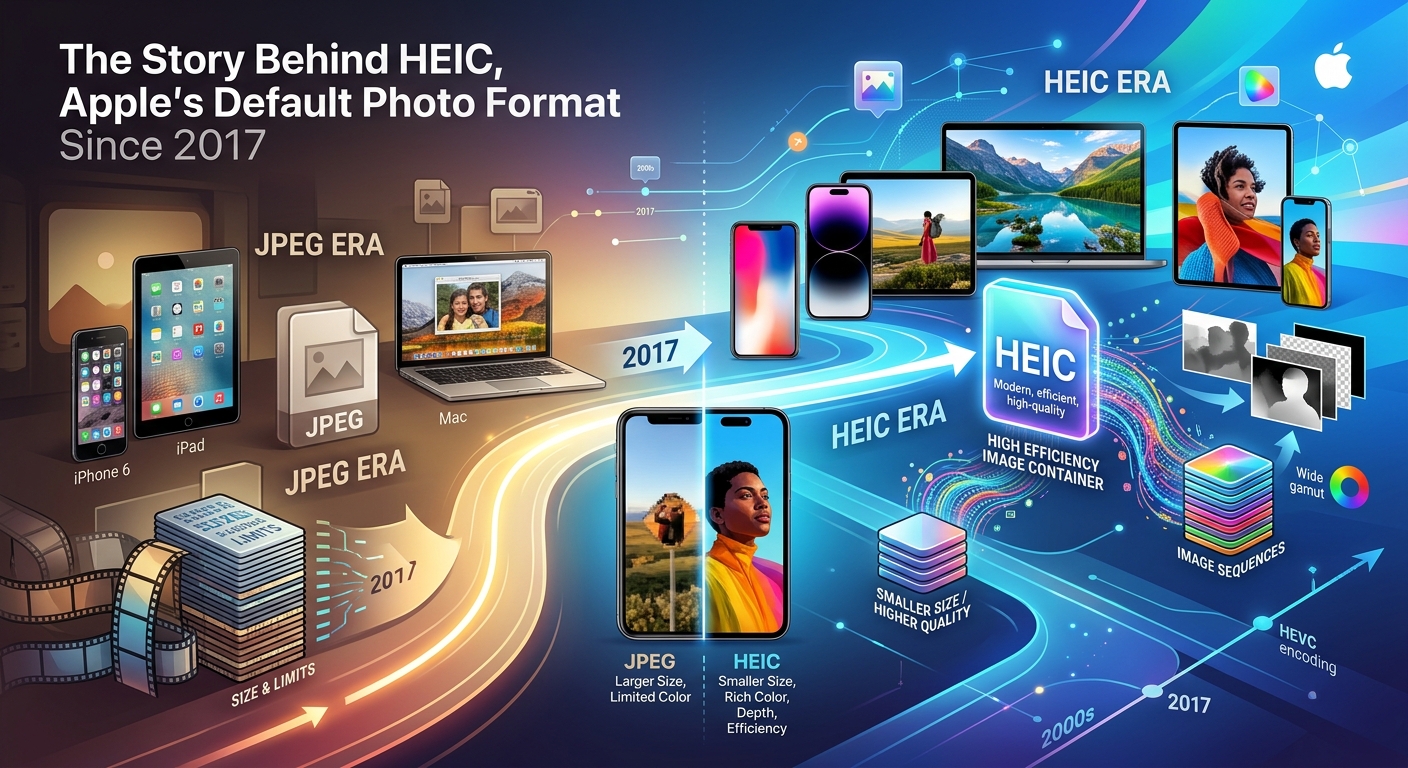
If you have ever tried to send an iPhone photo to a friend on Android and had them reply with "it won't open," you have met HEIC. Since iOS 11 landed in September 2017, every iPhone and iPad has been shooting photos in this format by default. Most people never chose it. Many people still do not know it exists. Yet it quietly shapes how billions of photos are stored, shared, and occasionally lost in translation every single day.
Key Facts About HEIC:
- HEIC is Apple's implementation of the HEIF standard, built on the MPEG-H Part 12 specification
- It stores images at roughly half the file size of JPG with no visible loss in quality
- Apple switched to it by default in iOS 11 and macOS High Sierra in 2017
- Most Windows software, Android apps, and older web platforms cannot open HEIC files natively
- Converting photos before sharing them is still the most reliable cross-platform fix
Where HEIC Actually Came From
HEIC did not appear out of nowhere. Its roots go back to a standard called High Efficiency Image File Format, or HEIF, developed by the Moving Picture Experts Group. MPEG is the same body behind MP3 audio and the H.264 video codec, so HEIF shares DNA with technologies that reshaped how the world streams and stores media.
The technical backbone is the MPEG-H Part 12 specification, which defines how image data should be compressed, structured, and packaged inside a file container. HEIC is simply Apple's specific flavor of that container, using the HEVC (H.265) codec to compress the actual image data. You can read more about the format's technical lineage on the HEIF Wikipedia page, which traces how the standard evolved from video compression research into a still-image format powerful enough to challenge JPG.
The "C" in HEIC stands for "codec" and refers to that HEVC compression method. You may also see HEIF used as the container extension on some Android devices that adopted the same standard later, using different codecs.
The File-Size Advantage That Made Apple Switch
Apple does not change its default formats lightly. The move to HEIC was driven by one compelling number: roughly 50 percent smaller file sizes compared to JPG at equivalent visual quality.
That might sound like a technical footnote, but consider what it means in practice. A 12-megapixel photo that takes 4MB as a JPG might land around 2MB as a HEIC file. On a 128GB iPhone filled with thousands of photos, that difference adds up to gigabytes of recovered storage. For users who shoot in bursts, record Live Photos, or take portraits with depth data, the savings are even more dramatic.
The compression advantage comes from how HEVC handles image data. JPG, invented in 1992, uses a method called discrete cosine transform that processes images in 8x8 pixel blocks. At high compression settings, those block edges become visible as the familiar JPG "artifacting" that blurs fine detail. HEVC uses more sophisticated prediction algorithms that look at larger sections of an image and encode only the differences between adjacent areas, preserving fine texture and edges much more efficiently.
The result is that a HEIC file can hold more detail at the same size, or the same detail at a smaller size. When Apple crunched those numbers ahead of iOS 11, the case for switching was straightforward.
What Else HEIC Can Store
File size is the headline feature, but HEIC is more than a compression upgrade. The format was built from the ground up to carry more than a single flat image.
- Live Photos store both the still frame and the short video clip in one HEIC file
- Portrait mode depth maps are embedded directly, letting apps like Fotos re-edit the blur effect later
- HDR metadata travels with the image, so the full tonal range is preserved for compatible displays
- Burst sequences can be packed into a single file rather than dozens of separate images
- Transparency is supported natively, unlike standard JPG
This container-based approach is one reason HEIC replaced not just JPG for regular photos but also PNG for screenshots on Apple platforms. A single file format handling more data types simplifies the whole pipeline.
The Compatibility Problem Nobody Warned You About
Here is where the story gets frustrating. For all its technical strengths, HEIC landed with a compatibility gap that Apple arguably underestimated.
JPG has been the universal image standard for three decades. Nearly every piece of software that handles images, from ancient photo editors to web servers to printers in pharmacies, speaks JPG fluently. HEIC does not enjoy that privilege.
Windows, despite being the most widely used desktop operating system, did not ship with native HEIC support. Users on older versions of Windows 10 found that double-clicking a HEIC file from their iPhone produced an error or an offer to buy a codec pack from the Microsoft Store. Windows 11 improved things marginally, but support is still inconsistent across applications.
Android can now display HEIC files in some cases, particularly on newer Google Pixel devices, but the experience varies enormously by device manufacturer and app. An HEIC photo shared through a messaging app to an Android user may display as a broken attachment, or it may look fine on one phone and fail on another.
Web platforms lag behind even more. Most browsers added basic HEIC rendering only in recent years, and many content management systems, email clients, and older upload forms still reject the format outright.
Social media platforms typically transcode photos into JPG or WebP anyway, which means the HEIC file you upload gets converted on the server before anyone sees it. You are sending a small file that immediately gets turned into a bigger one.
The practical workaround millions of users reach for is conversion. Before emailing a photo to a Windows colleague or attaching images to a form that requires JPG, converting with a dedicated tool like HEIC to JPG resolves the incompatibility without touching image quality, making it the simplest bridge between Apple's ecosystem and everywhere else.
Why Other Software Has Been So Slow to Catch Up
The delay is not purely technical laziness. There are licensing considerations around HEVC, the codec embedded inside HEIC. Unlike the royalty-free codecs that power WebP or AVIF (the formats Google and other browser makers have promoted), HEVC involves patent pools managed by multiple licensing bodies. Software developers who want to build in full HEIC support must navigate that licensing landscape, which adds friction for smaller teams and open-source projects.
This is part of why open-source image editors and free utilities were among the last to add HEIC support. The format is technically excellent but legally complicated, which is a real barrier when building tools that might be distributed for free.
Apple could absorb those costs as part of its hardware and software ecosystem. Third-party developers had to weigh whether their user base was large enough to justify the investment.
What Apple Users Can Do Right Now
The compatibility friction has not gone away, but the options for managing it have grown. Apple added a built-in compatibility setting that automatically converts HEIC to JPG whenever you transfer photos to a non-Apple device or share them via AirDrop to someone on Windows. You can find this under Settings, Photos, and then Transfer to Mac or PC, set to Automatic.
For cases where that automatic conversion does not trigger, or when you are working with a large batch of existing HEIC files that need to be shared widely, conversion tools handle the job efficiently. The converted JPG files behave exactly as expected everywhere: in email, in web forms, in Android galleries, and in software that has not been updated since before HEIC existed.
The Format That Changed How iPhones Store Your Memories
HEIC solved a genuine problem. Storage space on phones is finite, and the demand for higher-resolution, richer photos keeps growing. The format's roughly 2x efficiency advantage over JPG was not marketing, it was a real engineering win rooted in a decade of video codec research. The MPEG-H Part 12 standard that underpins it represents some of the most sophisticated image compression ever built into a consumer device.
The friction it created was real too, and for tens of millions of people who just want to send a photo to their mom on a Windows laptop, the format's technical merits matter less than whether the file opens. That gap is slowly closing as more platforms add native support, but it has not closed yet.
Understanding where HEIC came from makes it easier to understand both its strengths and its limits. It is not a proprietary quirk Apple invented to lock you in. It is a carefully engineered format built on open standards that arrived before the rest of the software world was ready for it.
Was this page helpful?
Our commitment to delivering trustworthy and engaging content is at the heart of what we do. Each fact on our site is contributed by real users like you, bringing a wealth of diverse insights and information. To ensure the highest standards of accuracy and reliability, our dedicated editors meticulously review each submission. This process guarantees that the facts we share are not only fascinating but also credible. Trust in our commitment to quality and authenticity as you explore and learn with us.